
AI Adoption Training
A behaviour-first, performance-driven training approach

Target Audience: Research and information services workers who have access to AI tools but are not using them either consistently, confidently or safely
Responsibility: Instructional Designer and eLearning Developer
Tools Used: Rise 360, Zapier, Canva Pro, Affinity Design, Claude AI
Deliverable: 3 phase blended learning intervention
Time & Constraints: 3 weeks and a low budget required efficient workflows and rapid prototyping using AI

Overview
The problem - Three groups, one gap
AI tool adoption across German workplaces is accelerating but uneven. After an open talk on AI at Göttingen's University Library, Daniel, an AI Researcher, shared with me three distinct groups that would benefit from AI training:
The avoiders have had little or no meaningful contact with AI tools. They risk falling behind professionally and represent a growing efficiency gap for their organisation.
The middle group use AI occasionally but without purpose or habit. They complete the same tasks the same way most of the time, with occasional and unproductive AI use that builds neither confidence nor skill.
The uncritical users engage with AI regularly but accept output without question. They carry real risk — compliance exposure, information security vulnerabilities and a gradual erosion of their own critical thinking.
We agreed to work together to form a training intervention that tackles the AI awareness and skills gap at his and other organisations.
The Solution - Designing for behaviour change
This project took a behaviour-first approach built around the COM-B model (Capability, Opportunity, Motivation) and frames the reasons, benefits and specific use cases of adopting AI for work tasks in three phases:
Phase 1 a short Rise 360 module to provide the capability and motivation. Learners completed three lessons on how AI can help with emailing, meeting preparation and project brainstorming. Learners finished the module having nominated a time and date to practice using AI with real upcoming tasks from their work calendar.
Phase 2 delivered support at the moment it was needed to provide real opportunity. An automated email reached the learner before each nominated task with a short knowledge check and a prompting guide timed to their actual workflow.
Phase 3 delivered a pulse check after two weeks by email to check they carried out their self-designated practice. Yes enrolles them onto the 2nd eLearning course that goes deeper into AI skills and use cases, No triggers a re-commitment prompt to re-schedule their in-the-flow-of-work practice.
My Process - Building early to iterate quickly
After the needs analysis I used action mapping and storyboarding to marry learner needs with business goals.
I like the Agile 'show don't tell' approach of the SAM model. It allows for a more responsive process that keeps something tangible in hand at every stage to share with the SME and stakeholders.
I started building in Rise early after an initial storyboarding with the SME. Rise is so quick to use and interactive from the start so you can quickly visualise as a learner would and improve copy, user flow and form a list of needed assets on the fly.
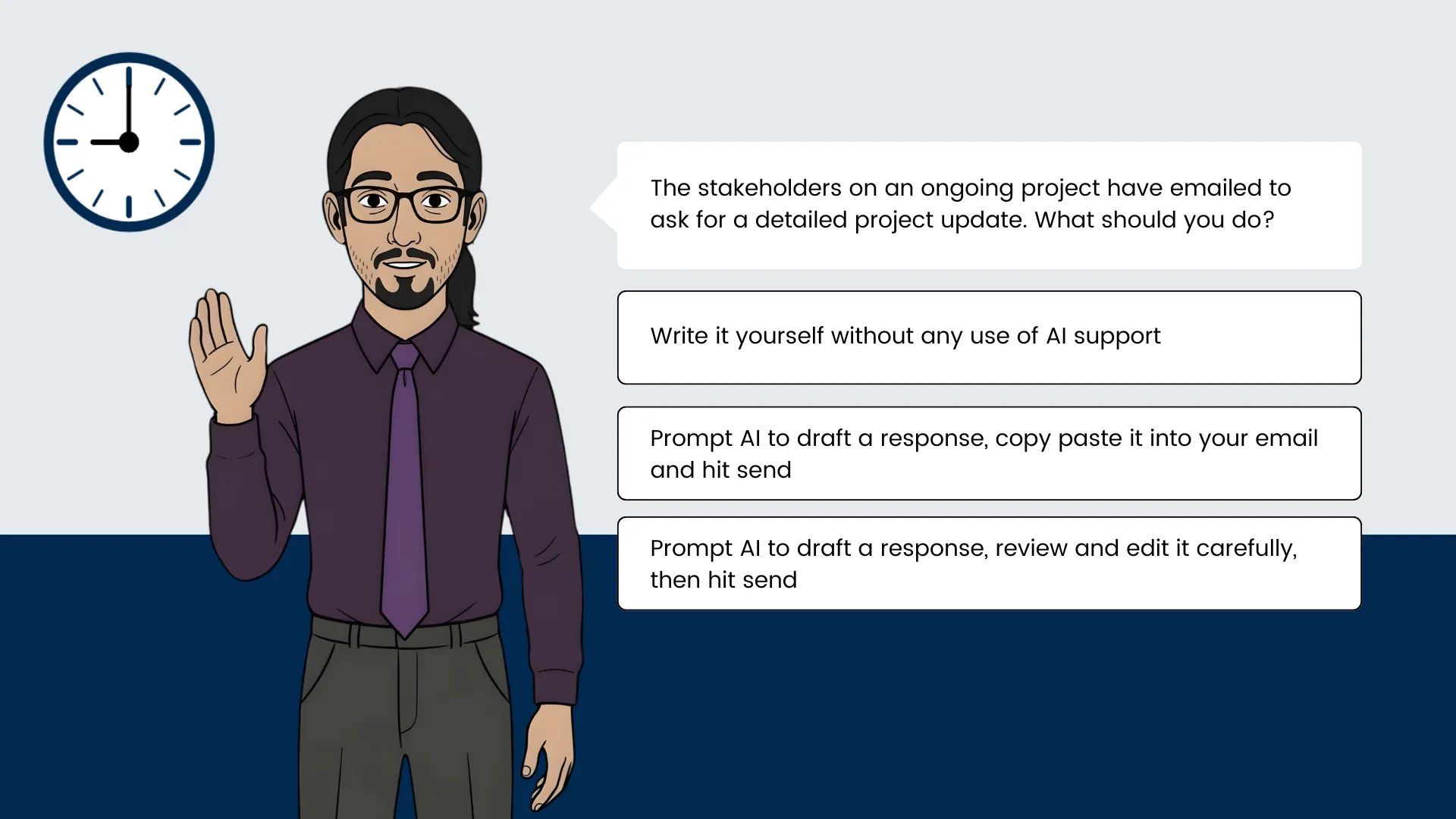
To engage learners on their training journey I used interactive scenario-based learning with a few custom coded blocks for anything outside Rise's capabilities like the custom illustrated scenarios and Zapier integrated forms.

Design
Action Mapping - Working backwards from what people need to do
Together with the SME we created an action map for the demo story to ensure that all actions align with achieving the main goal:
Business Goal: Within 30 days of completing the eLearning and email challenge, 70% of participating employees are using AI tools independently for at least two regular work tasks, with no observable increase in compliance or information security incidents.
Measurement & Accountability: The self set date for active practice commits the learner to real world AI use. An automated email checks their progress and stage 3 builds on their capabilities and commitment to improving past the initial training.
Observable Actions Learners Must Demonstrate After Training Module
* Recall at least three regular work tasks that are suitable for AI assistance
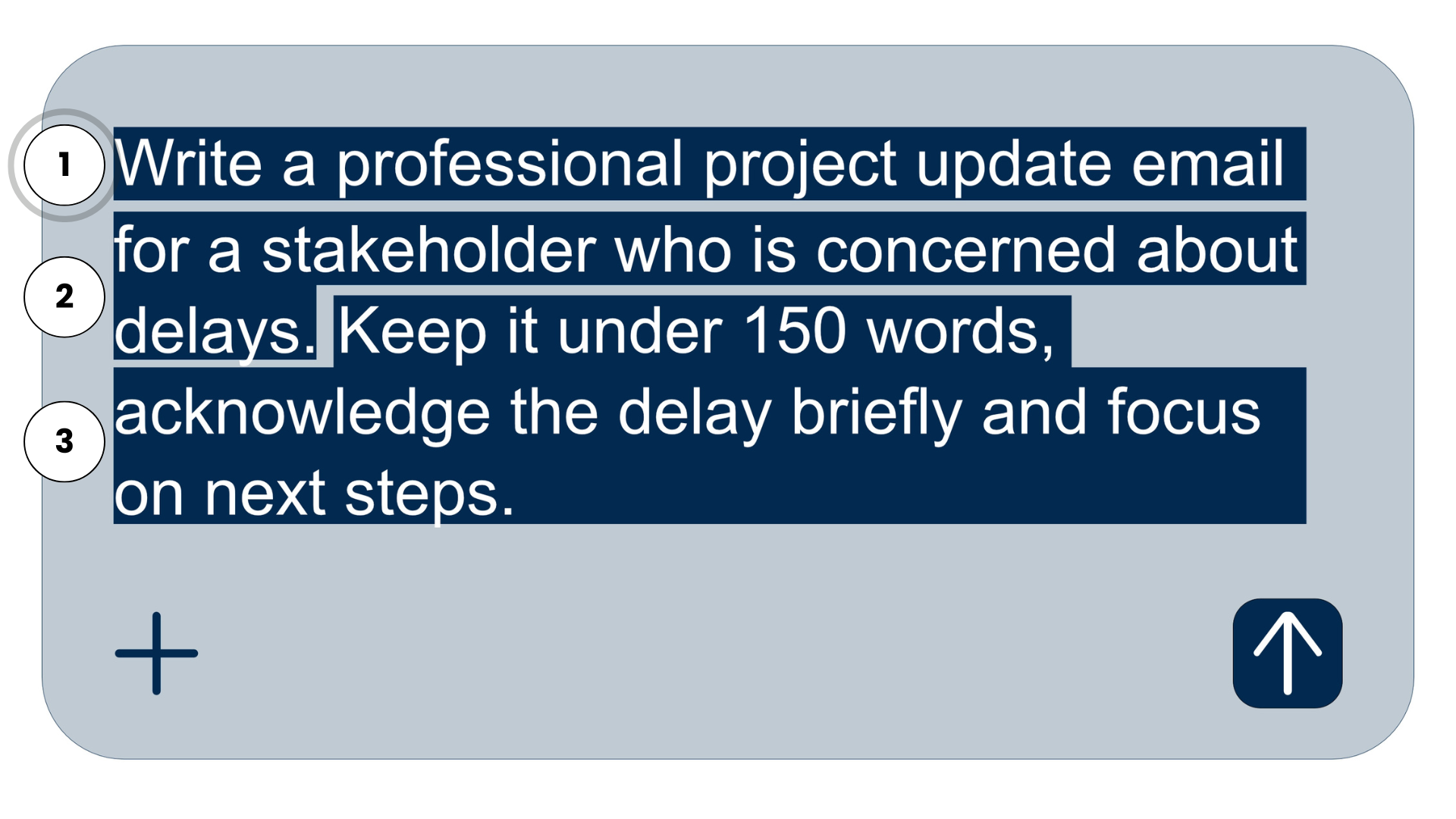
* Write an effective prompt for a real task that produces a usable first draft
* Complete certain work tasks faster using AI than their previous method
* Identify factual errors, tone mismatch and missing context each time before deciding to use, edit or discard AI text
Text-based Storyboard - An evolving and collaborative document
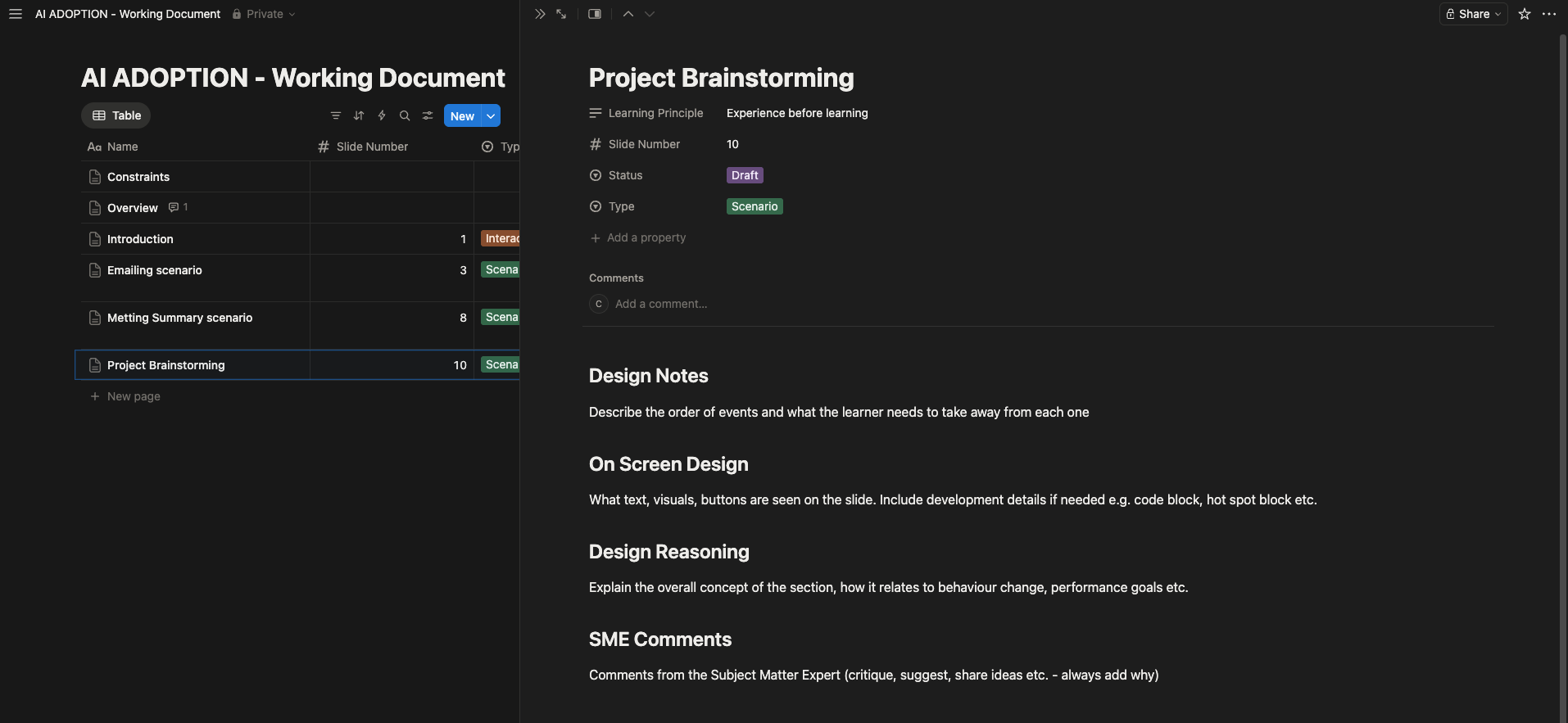
After identifying the most important actions to focus on, I worked with the SME to identify the learning objectives and use these to craft the right learning sequence around the actions.
For easy collaborating and formatting, I decided to create a Notion document and use templates for each section with clear instructions, progress labelling and a place for the SME to leave comments.
We decided to focus the story on the AI representative who gives advice and sets up three realistic scenarios. The learner makes the choices and experiences the corresponding consequences if they chose incorrectly.
The learner then commits a time to practice after each scenario.

Development
Demo Prototype - Supplementing Rise with custom code

Once the basic text-based storyboard was complete, I iterated on the building blocks of the design in Rise since it is so quick to build and edit until the flow and wording felt right.
The main title of 'Offloading work tasks onto AI' and the evolving image of the learner's in-tray beside AI's in-tray connected with the passing time of a typical work day, all help to frame the need and benefits of using AI - to save time and mental load at work.
Rise is quite limited in a few areas so I used a few custom code blocks with assistance from Claude AI to develop the scenario look we wanted, add the functioning date and time challenge email section, which is supported by Zapier and add the learner's name on the in-tray image.
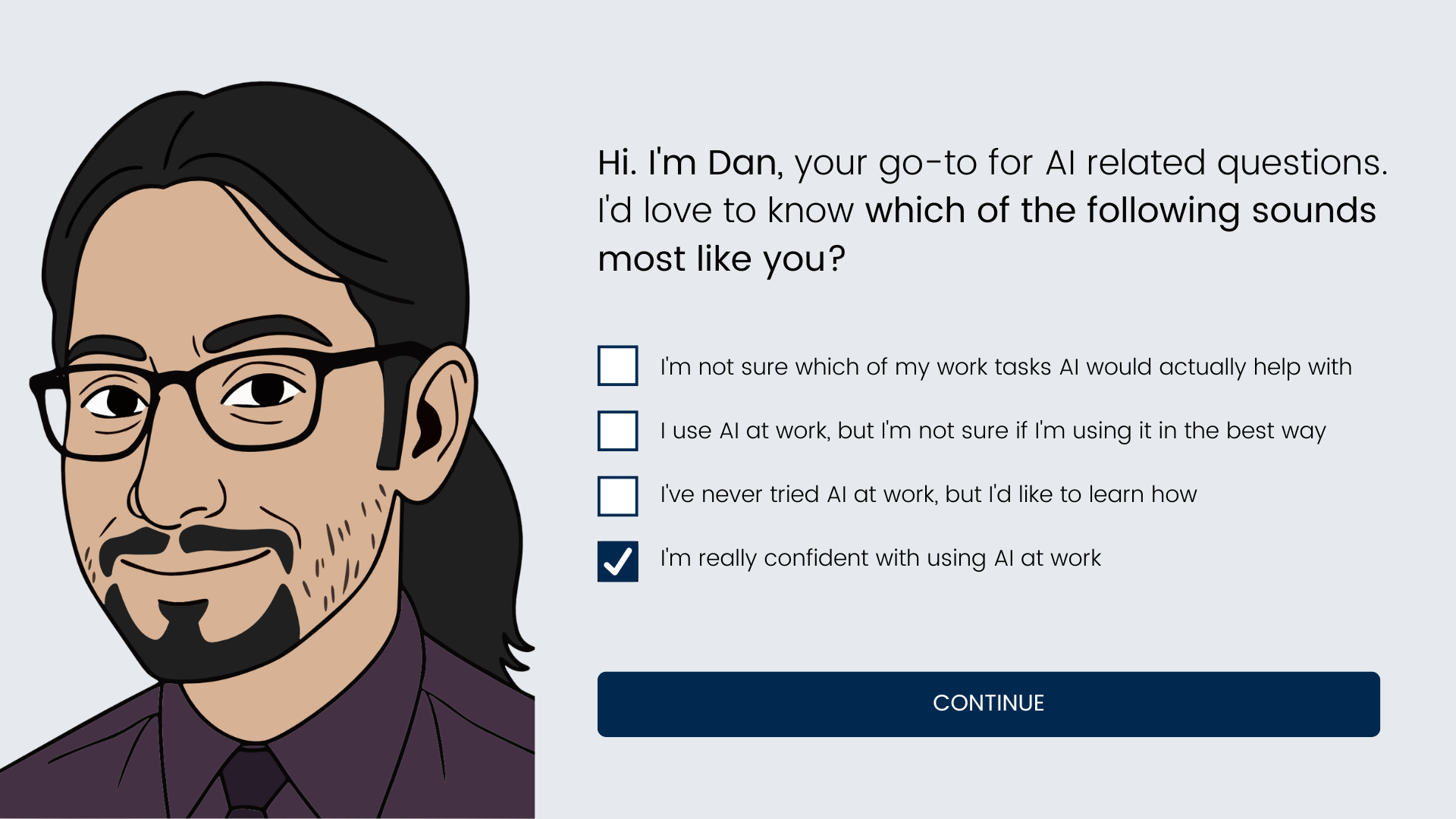
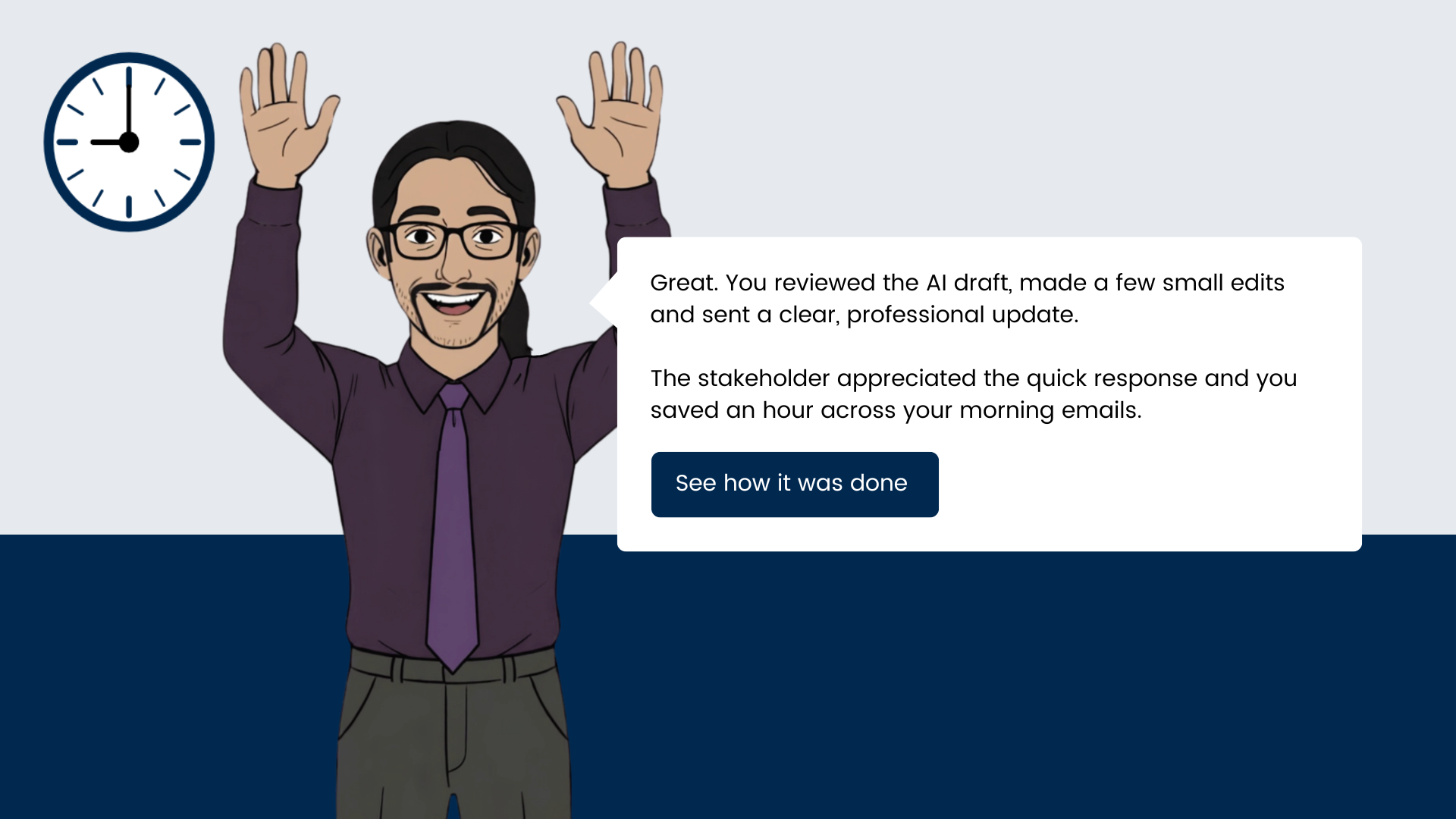
The images were last to create featuring a custom illustrated character of Daniel the SME for the AI representative in the module. An initial character was designed and then I used AI in Affinity Design to create the different poses for the scenarios. Creating an illustrated Daniel character was fun for us both and helps put a face to the name for learners in his organisation.

Results & Takeaways
Early, iterative testing surfaced a few key improvements. Here are a few quotes:
'what do I need to do here?' - on the date and time selector block leading to much clearer instructions in this vital step.
'an appointed AI representative to check in with learners sounds great, but it's not scalable' - on phase 3 leading to a more scalable and robust solution through automated emails and a second level of eLearning instead of less actionable follow ups.
Daniel and I agreed early on that it was important to help learners understand why this training was important for their self development and the needs of the organisation. This led to the 'handing over tasks to AI' framing, the self-declaration of current AI use and the statements in the introduction on time and headspace benefits.
In further development I would add the two other scenarios to the module and require the learners to find only one task to commit using AI for to reduce the risk of uncompleted actions preventing them from moving on to phase 3.
